
The most useful lessons from recent ransomware attacks are surprisingly consistent: attackers get in through stolen credentials, tricked help desks, and unpatched internet-facing systems, then spread through flat networks and destroy backups before anyone notices. Defending against that pattern comes down to seven readiness actions, from locking down remote access to rehearsing your response before a crisis forces you to improvise.
The incidents behind these lessons are well documented. The Colonial Pipeline shutdown showed how a single compromised remote access credential can halt critical infrastructure. MGM Resorts showed that a convincing phone call to a help desk can bypass expensive technical controls. The Kaseya VSA supply chain attack and later edge-device exploits proved that one unpatched system can expose hundreds of downstream organizations. Healthcare cases, including Change Healthcare, showed how poor segmentation and fragile recovery plans turn an intrusion into a sector-wide disruption.
One note on framing. These are confirmed, widely analyzed attacks, and we treat them as documented patterns rather than breaking news. We don’t have verified 2026 incident data, so we won’t invent any. Attacker tradecraft evolves slowly, and these playbooks remain the ones defenders still lose to.
The seven lessons below are drawn from those incidents and from agency guidance. Where a lesson rests on guidance rather than a specific attack, we say so. Use them as a readiness checklist for your own environment.
How These Lessons Were Selected From Real Ransomware Cases
Every lesson in this checklist comes from patterns documented in confirmed, publicly reported ransomware incidents, government advisories, and incident-response reports. The incidents referenced include the 2021 Colonial Pipeline attack, the 2021 Kaseya VSA supply-chain attack, the 2023 MGM Resorts intrusion, and the 2024 Change Healthcare attack. All four are confirmed ransomware cases.
These cases are proven illustrations of recurring tactics, not claims about what is happening this year. For the latest activity, check current CISA and FBI advisories. If you want the broader playbook first, our guide to step-by-step ransomware defenses covers prevention end to end.
An incident earned a place only if it met all of these criteria:
- Confirmed ransomware involvement, not a generic outage or unattributed breach.
- A publicly documented initial access route or recovery failure.
- A defensive control the reader can realistically implement.
- A source from a government agency or reputable incident-response firm.
Non-ransomware outages were excluded as evidence, however disruptive they were. Mixing them in would blur which controls actually stop encryption and extortion.
Not every lesson ties to one named incident. Lessons six and seven rest on agency guidance and incident-response findings rather than a single case, and they are labeled that way. Each lesson still maps to exactly one checklist action, so you can assign an owner and track completion.
1. Lock Down Remote Access and Credentials, Colonial Pipeline

The 2021 Colonial Pipeline attack is a clear example of how a single weak credential can cause a large disruption. According to public reporting and congressional testimony, the attackers got in through a compromised VPN account that was not protected by multifactor authentication. That account was reportedly no longer in active use, which meant nobody was likely watching it.
Multifactor authentication (MFA) asks for a second proof of identity, such as a code from a phone app or a hardware key, in addition to a password. A stolen password alone is then not enough to log in. Passwords leak constantly through phishing and reused credentials, so MFA is one of the cheapest barriers you can add.
Here is the checklist action for this lesson:
– Enforce MFA on every remote access path, including VPNs, remote desktop gateways, and cloud admin portals.
– Retire dormant accounts, including those of former staff and contractors.
– Audit VPN credentials on a schedule and check them against known breach exposures.
Remote access defenses fail when people are tricked into handing over what they hold, so pair these controls with help desk security training that teaches staff to verify who is asking before they reset a password or approve an access request. Start with the accounts nobody remembers, because those are the ones attackers go looking for first.
2. Treat Social Engineering of Help Desks as a Core Threat, MGM Resorts
The 2023 MGM Resorts incident shows how a ransomware attack can begin with a phone call rather than malware. Public reporting and the company’s own regulatory filings describe attackers who impersonated an employee, persuaded IT support to reset credentials, and then moved through the environment to deploy ransomware. The technical defenses never had to fail, because the human process around them did.
This pattern matters because help desks exist to be helpful. A caller who sounds confident, knows a name or job title from a public profile, and creates mild urgency can pressure an agent into skipping steps. Resetting a password or enrolling a new MFA device hands the attacker the same access as the legitimate employee, which is why these requests deserve the strictest verification you have.
Checklist action: harden identity verification for every password and MFA reset. Require a callback to a number already on file, or approval from the employee’s manager, instead of trusting caller ID or personal details that are easy to find online. Train help desk staff to recognize impersonation tactics, and give them explicit permission to refuse or escalate a request without penalty, even when the caller claims to be an executive. Teams building out their wider controls can pair this with guidance on how to prevent ransomware tactics from gaining a first foothold.
3. Patch Internet-Facing Systems Fast, Kaseya VSA and Edge-Device Exploits

In July 2021, attackers exploited a vulnerability in Kaseya VSA, remote management software used by managed service providers (MSPs). Because MSPs hold trusted access to their customers’ networks, the REvil group was able to push ransomware to downstream businesses through the software itself. Public reporting at the time put the number of affected customers in the low thousands, even though only a small share of Kaseya’s own customer base was directly breached.
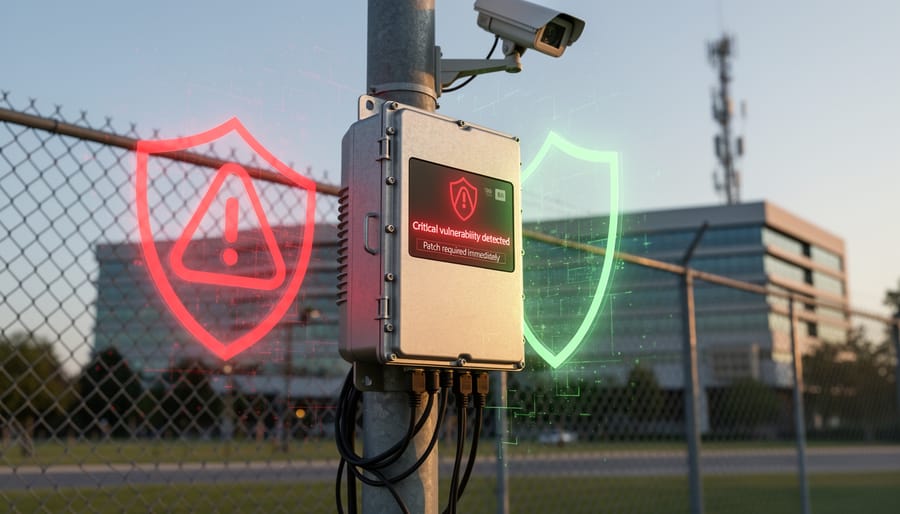
The lesson is that your exposure includes every tool that faces the internet or sits in the middle of your supply chain. CISA has repeatedly warned that VPN gateways, firewalls, and other edge devices are favorite targets, and it maintains a Known Exploited Vulnerabilities (KEV) catalog for exactly this reason. Attackers move quickly once a flaw becomes public, so a slow patch cycle is an open invitation.
Add these actions to your ransomware readiness checklist:
– Maintain a current asset inventory, including edge devices and vendor-managed tools, so you know what needs patching.
– Prioritize vulnerabilities listed in CISA’s KEV catalog above those that are merely rated severe.
– Set patch-time targets, such as days rather than weeks for known-exploited flaws on internet-facing systems.
– Ask your MSPs and software vendors how quickly they patch and how they protect their own remote access.
4. Segment Networks to Contain the Blast Radius, Healthcare Ransomware Cases
The Change Healthcare attack in early 2024 showed how far a single intrusion can travel. Change Healthcare is a major clearinghouse for claims and payments, so when its systems went down, pharmacies, hospitals, and physician practices across the United States struggled to verify coverage and get paid. Few of those organizations were breached themselves. They were simply connected to a service they could not work without.
That is the point of this lesson. A flat network lets an intruder move from one compromised machine to nearly everything else. A concentrated dependency means one outside provider can halt your operations even when your own systems are untouched. Healthcare ransomware cases repeatedly show both problems at once.
Published agency guidance is consistent here. The joint CISA, FBI, and HHS #StopRansomware guidance on ransomware targeting the healthcare sector recommends segmenting networks so that an infection in one area cannot freely reach clinical and administrative systems, and it advises organizations to plan for the loss of critical vendors.
Checklist action items:
– Segment critical systems, such as clinical, payment, and backup environments, from general office networks.
– Restrict lateral movement by limiting administrative accounts and blocking unnecessary internal traffic.
– Map third-party dependencies and document manual workarounds for each one you cannot operate without.
5. Build Backups the Attackers Cannot Reach
Attackers know that good backups are the one thing that lets a victim refuse to pay. That is why the #StopRansomware guidance from the FBI and CISA, along with incident-response reporting, repeatedly notes that attackers hunt for backup systems and delete or encrypt them before they trigger the main encryption. Backups sitting on the same network, protected by the same administrator credentials, tend to fall along with everything else.
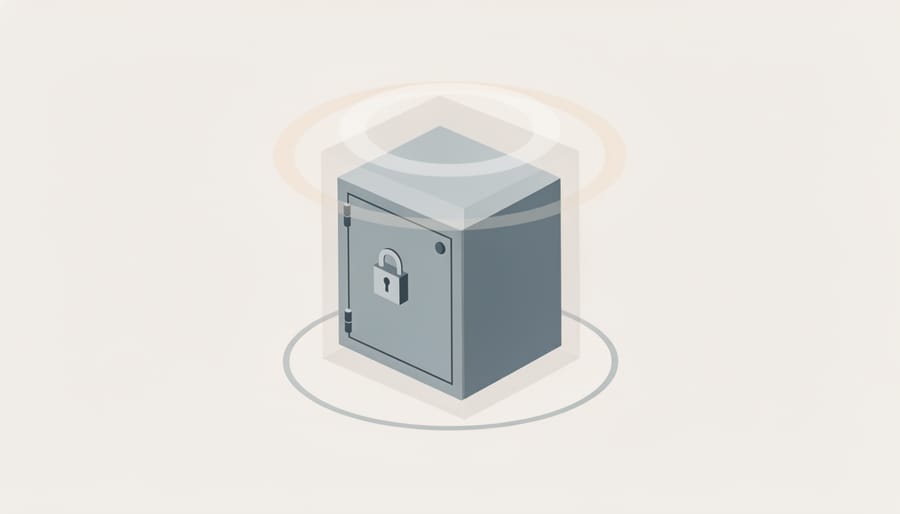
The checklist action is to follow the 3-2-1 principle: keep three copies of your data, on two different types of storage, with one copy stored offsite. Then add the part that matters most against ransomware, which is making at least one copy unreachable from your production environment.
An immutable backup is one that cannot be changed or deleted for a set retention period, even by someone holding administrator rights. Once it is written, it is locked. Offline copies, such as tapes or disconnected drives, achieve a similar result by being physically out of reach.
Credentials matter as much as storage. Give backup systems their own accounts, separate from your main directory, and protect them with multifactor authentication. If a single stolen domain admin login can open both your servers and your backups, you effectively have one point of failure.
Test restores on a regular schedule, and record how long they actually take so your recovery targets rest on evidence rather than hope.
6. Detect Intrusions Before Encryption Starts
Attackers rarely encrypt on day one. CISA, the FBI, and the UK NCSC all describe a pattern in which intruders spend days or weeks inside a network before ransomware is deployed. During that time they map systems, escalate privileges, and copy sensitive data out. Incident-response reports from vendor-neutral and government sources reach the same conclusion: the gap between first access and encryption is the best window to stop an attack.
That window only helps if someone can see what is happening in it. Without logs and endpoint visibility, quiet reconnaissance looks like normal activity until files start locking.
Checklist action: build the visibility to catch intruders mid-attack.
– Centralize logs from servers, identity systems, firewalls, and cloud services in one searchable place, and keep them long enough to investigate slow-moving intrusions.
– Deploy endpoint detection and response (EDR), which monitors devices for suspicious behavior rather than relying only on known malware signatures.
– Alert on mass file access, bulk file renaming, new administrator accounts, and unusual outbound data transfers, since staging and exfiltration often come before encryption.
– Make sure someone is assigned to respond to alerts at any hour, because attacks often begin on weekends and holidays.
7. Rehearse the Response: Decisions, Communications, and Restoration
Agency guidance and post-incident reviews point the same way: organizations that have practiced their response recover faster than those improvising under pressure. The checklist action is to treat the incident response plan as a living tool, not a document that sits in a shared drive.
Keep a copy offline, because the network holding your plan may be the one that is encrypted. Run tabletop exercises at least annually so leaders rehearse real decisions, such as who can isolate systems or approve a shutdown. Pre-define contacts for legal counsel, your cyber insurer, regulators, and communications staff, so nobody hunts for phone numbers mid-crisis. Set recovery time objectives for each critical system, which tells you how long the business can tolerate an outage and in what order to restore. If your team lacks in-house expertise, it helps to choose security services that can support exercises and response before an incident forces the issue.
Decide your stance on ransom payment in advance. Law enforcement agencies, including the FBI and CISA, generally discourage paying, since payment does not guarantee data recovery, may fund further attacks, and can invite repeat targeting. Any decision should involve legal counsel, insurers, and law enforcement, and should account for sanctions and reporting obligations.
Ransomware Readiness Questions Security Teams Ask
How often should we test backups and restores?
Test restores on a fixed schedule, at least quarterly for critical systems and after any major infrastructure change. A backup that has never been restored is only an assumption, so measure the actual time to recover against your recovery time objectives.
Does cyber insurance replace preparedness?
No. Insurance may offset some financial costs, but it does not restore systems, protect data, or maintain operations. Insurers also commonly expect baseline controls such as MFA and tested backups, so preparedness often affects whether coverage is available at all.
What should we do in the first hour of a suspected attack?
Isolate affected systems from the network without powering them off, so volatile evidence is preserved, and activate your offline incident response plan. Then notify your response lead, legal counsel, and insurer using the contacts you pre-defined. Law enforcement generally discourages paying a ransom, so decide on that path with counsel, not under pressure.
Where can we find current ransomware advisories?
Check CISA’s #StopRansomware resources, the FBI’s Internet Crime Complaint Center (IC3), and the UK’s National Cyber Security Centre (NCSC). Because the incidents in this article are illustrations of documented patterns, these sources are the right place to confirm what threat actors are doing now.
Treat these answers as starting points for your own plan. Assign each one an owner and a review date so the answers stay current as your environment and the threat landscape change.
Recent ransomware attacks keep exploiting the same well-understood gaps: weak remote access, social engineering, unpatched edge systems, flat networks, reachable backups, late detection, and untested response plans. Readiness is mostly disciplined execution of the basics, not a hunt for exotic tools.
Adopt the Ransomware Prevention and Recovery Readiness Checklist and assign a named owner to each of the seven actions. Test restoration on a schedule, because a backup you have never restored is only a hope. Then watch current CISA, FBI, and NCSC advisories for fresh activity.
If you need help turning this into a working program, explore our consulting, training, and risk management resources.